Guide
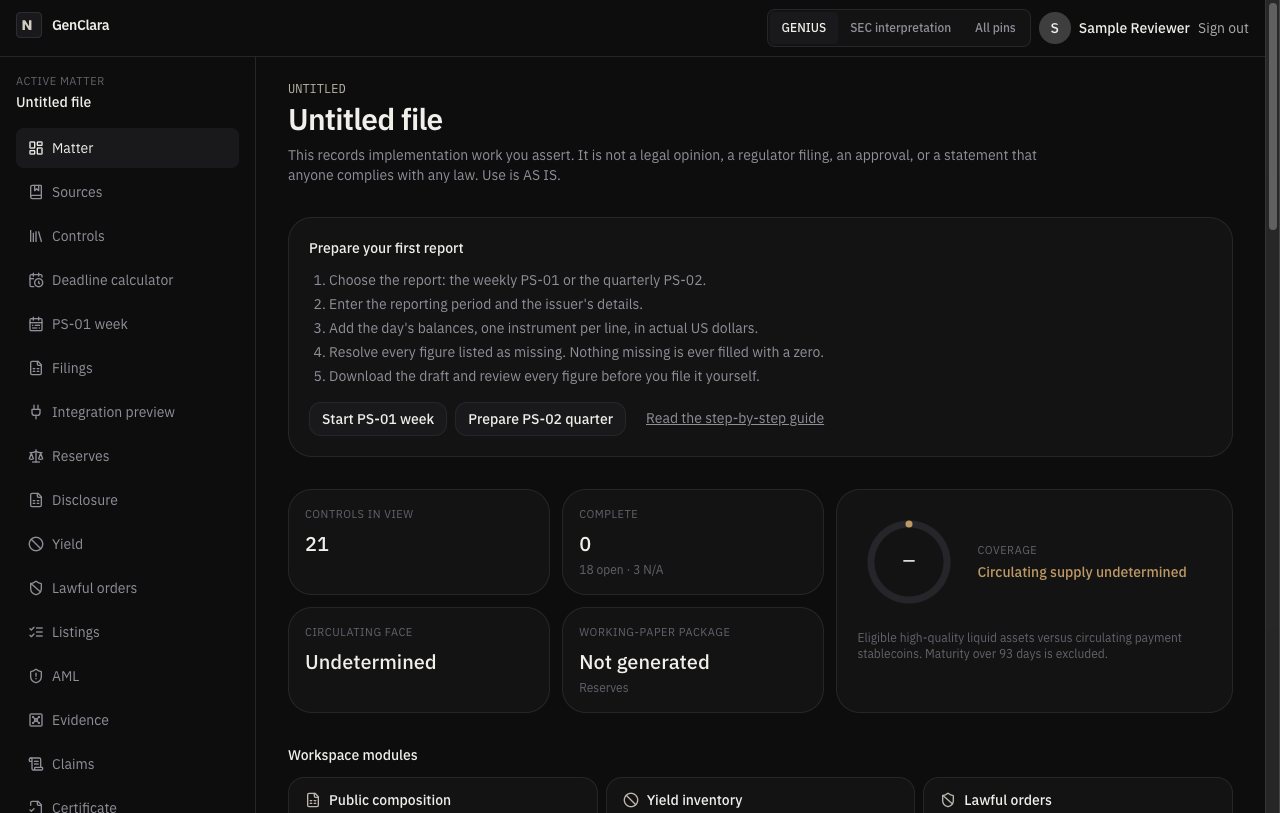
Prepare your first report
A weekly PS-01 draft (the proposed weekly reserve report) takes five steps in your browser, and GenClara never fills a missing figure with a zero. You enter the balances, fix what it flags, and download a draft you review and file yourself. Your file stays in your own account. You remain the filer. Connecting your treasury systems through the API is optional.
The five steps
- Choose which report you are preparing. The PS-01 week page prepares the proposed weekly reserve report, and Filings prepares PS-02, the proposed quarterly condition report.
- Enter the period and the issuer. Pick any date and the week snaps to the Wednesday that starts it. Add the issuer's name and contacts once.
- Add each day's balances, one instrument per line, in actual US dollars. The export converts to thousands where the form asks for it, and you can copy one day into the next and change only what moved.
- Resolve every missing figure. Each one is named on the screen and in the download, and none becomes a zero.
- Download the draft and check every figure against your records and the agency's instructions before you file it yourself through the agency's own portal.
Both forms are proposed. Expect changes. Under the proposed instructions the reporting week runs Wednesday through Tuesday, and the weekly report is due the next day, Wednesday, at 5 p.m. Eastern. Plan the review for Wednesday morning.
A worked example, with invented data
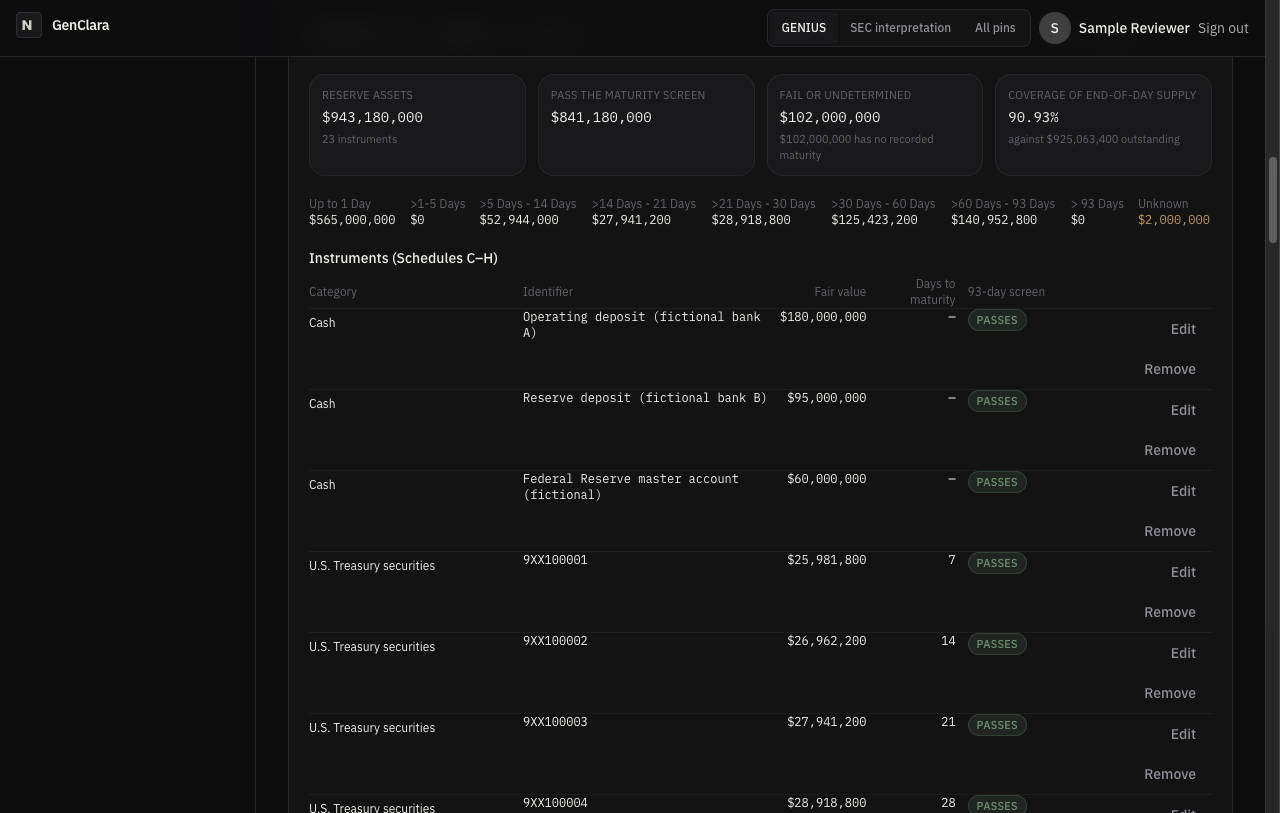
Every screen below comes from GenClara itself, running a fictional issuer. No real customer, email or key appears in them.
The fictional week holds 23 instruments on its first day, from bank deposits to Treasury bills.
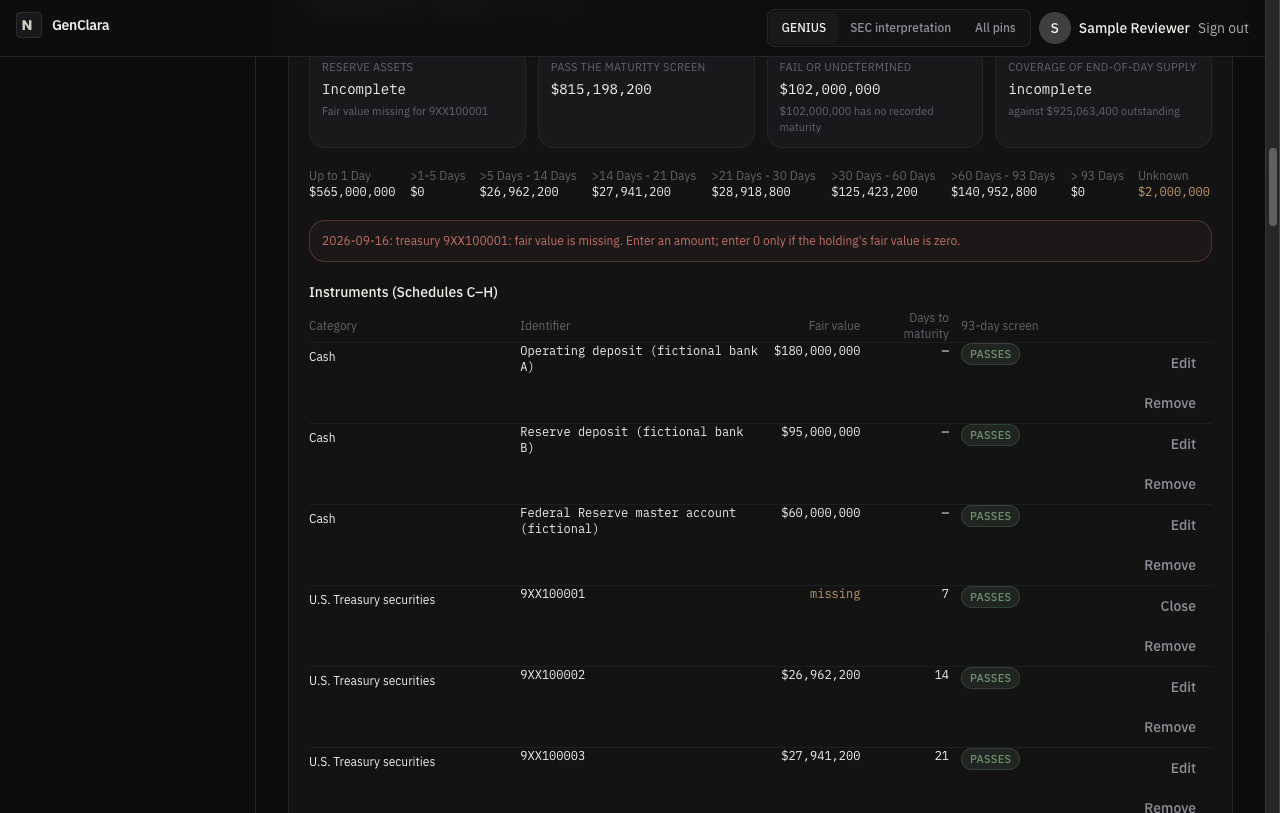
Now clear one Treasury bill's fair value, as if the custodian statement had not arrived. Totals stop. The reserve total and coverage read "Incomplete", the bill's fair value reads "missing", and a message under the totals says what to enter.
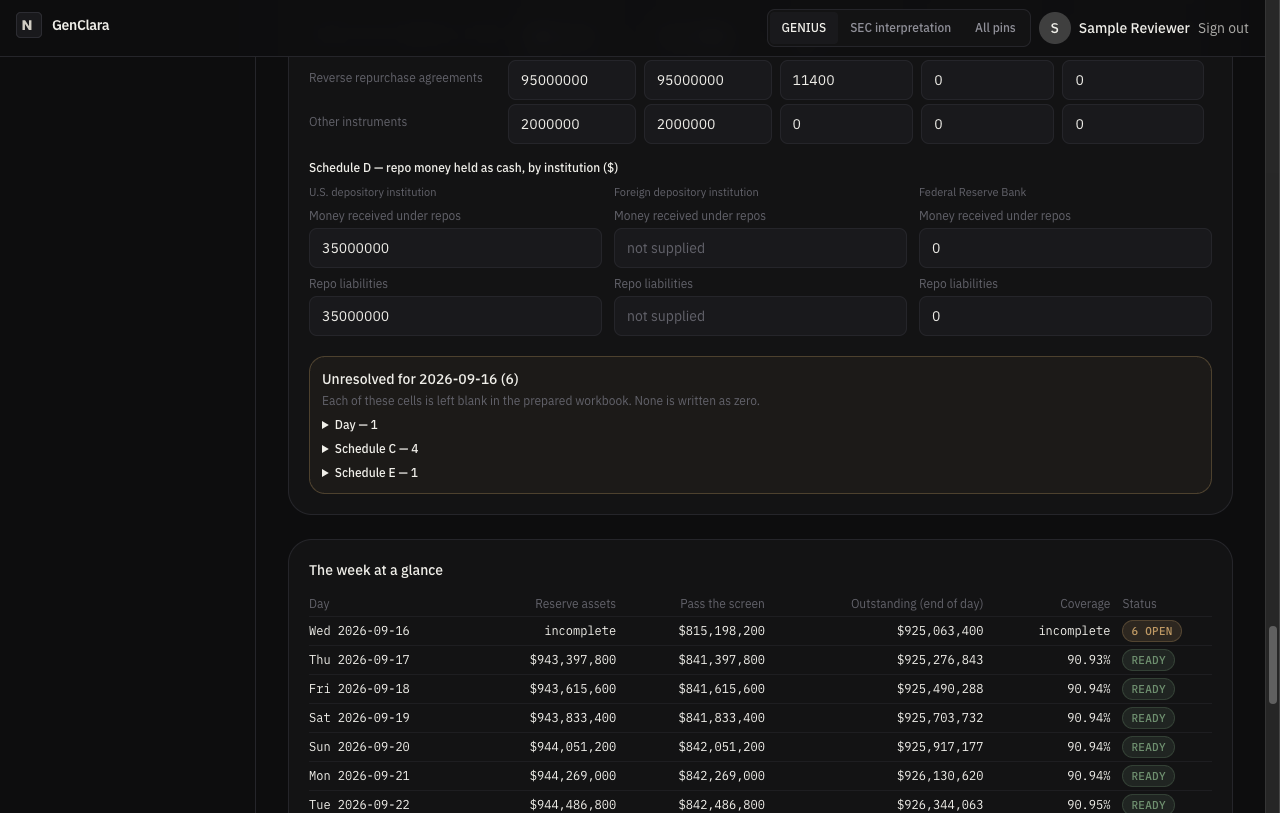
The missing fair value follows the bill into the prepared workbook. Five workbook cells for that day stay blank, the bill's own fair value and the Treasury figures that depend on it, and each is listed by schedule. With the day's own note that makes six open items instead of "ready", while the other six days are unaffected. No value is guessed.
What you download
Open READ-ME-FIRST.html first. Every weekly download starts with it, and it lists the agency, the week, the units, each file, and every missing figure by day.
- Workbook drafts are copies of the agency's own Excel workbook, one per day, and every file name ends in DRAFT.
- The receipt lists the unresolved items, the fingerprint of the agency workbook used, and the questions the proposed forms leave open.
- The Federal Deposit Insurance Corporation drafts are that agency's own PDF forms, filled, with a machine-readable copy.
- Your complete data archive is one JSON file with everything in your organization's file. Keep the report files too, because the archive is a record of your data, not a report.
You may keep, copy, share and file every one of these, including after you cancel (Terms).
What the certificate does and does not attest
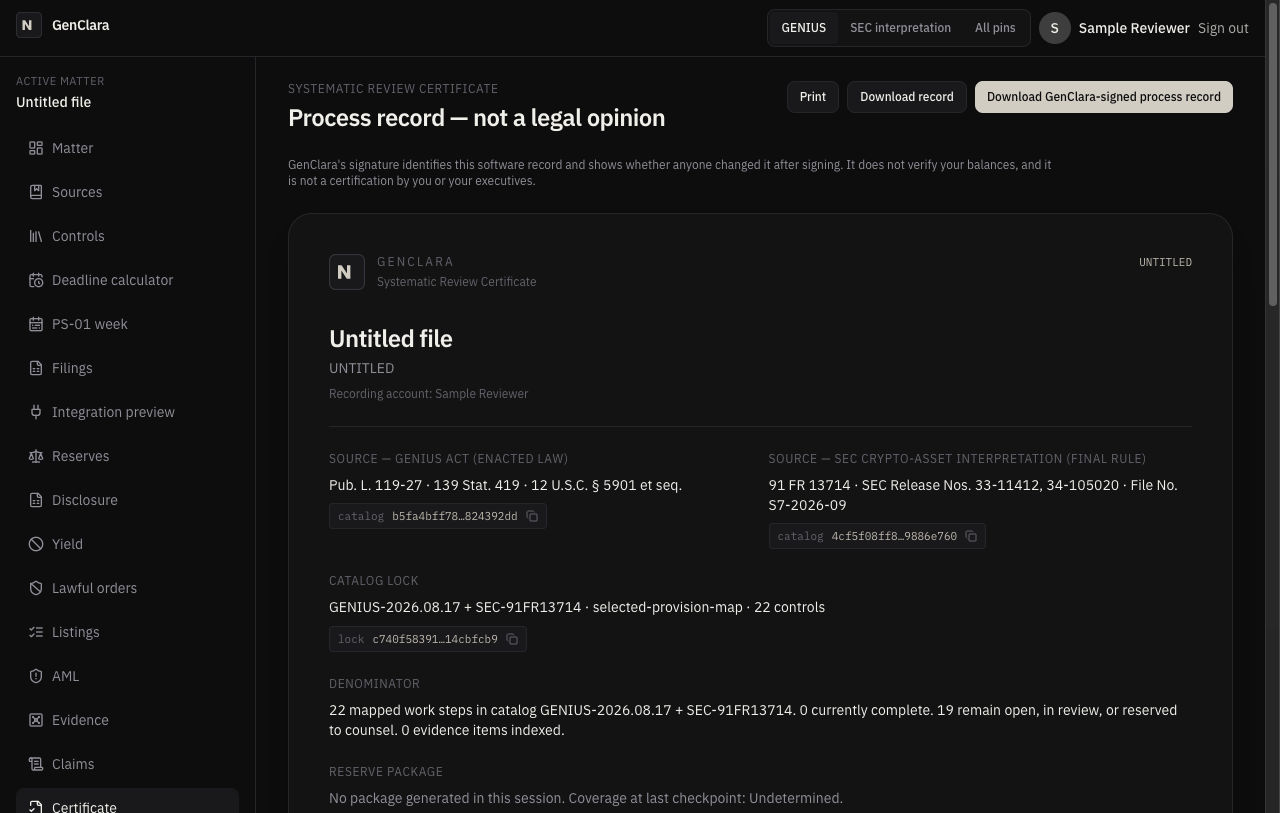
The Systematic Review Certificate is a process record, not proof of compliance. It names the exact statute text your review used, counts the work marked done and the work still open, and carries GenClara's signature on request, so anyone you hand it to can later tell whether it was changed after signing.
- It shows which source version your review used, how much of the mapped work is complete, and whether anyone changed the record after GenClara signed it.
- It does not show that your reserves exist, that your figures are right, or that you comply with any law. No legal opinion, no accountant's examination, and not the monthly certification your executives sign.
Recording a chief executive or chief financial officer role on a reserve package records your statement that the named executive reviewed that package. That statement signs no agency form and is not the executive's own certification.
How your data is handled
Your file belongs to your organization, and other customers cannot reach it: every request is checked against the member's organization and role before anything is read or written. GenClara runs on Amazon Web Services in Northern Virginia, behind Cloudflare, with card payments handled by Stripe so that your card number never reaches our servers. Digent LLC, which runs GenClara, opens a customer's file only to fix a problem the customer reports, to restore a backup, or where the law requires it. We never sell your data. We never train AI models on it. The Privacy Notice has the full list, the retention periods, and how deletion differs from cancelling.
What stays your job
GenClara is a tool, not advice. You file, you certify, and you verify every figure first. The filing calendar emails reminders, but the deadlines stay yours to track. Nobody, GenClara included, can promise that a regulator will accept what you file, because acceptance turns on the agency's final instructions and on facts that only you hold. See what this does not do.
Glossary
- Coverage
- Eligible reserves divided by the coins in circulation, times 100, using your recorded eligibility decisions.
- Eligibility
- Whether a reserve line passes the software's stated screens, such as the 93-day maturity limit. Some lines stay undetermined until you decide.
- Reserve snapshot
- One day's reserve position, used by the Reserves, package and PS-02 screens. You set it from a PS-01 day.
- Draft worksheet
- A prepared copy of an agency form, marked DRAFT, that you review and file yourself.
- Unresolved item
- A figure the form needs and you have not supplied. It is left blank and listed.
- Process certificate
- The Systematic Review Certificate described above.
- Fingerprint (hash)
- A short code computed from a file. If the file changes, the code changes, but it says nothing about what the file contains.
- Receipt
- The file that travels with a prepared draft and lists what is missing.
- Data archive
- The JSON download of your organization's whole file.